Licences and CICC checks

Licences lets you see each consultant's licence and how it is checked against the CICC register list. Here is a quick tour.

1:24 video·Captions and transcript·1 written guide

01Overview
0:00 / 1:24

Chapters

9

Verify your firm and licence details

Each consultant’s licence number is checked against the CICC register list. A licence on file is enough to invite real clients, and a revoked or suspended licence pauses that. Casevoya records credentials separately from logins, so a person’s account and their licence are never the same thing.

  1. 1

    Open Licences

    In the sidebar, under Practice, choose Licences, then Add a licence at the top right.

  2. 2

    Enter the credential

    Regulator, Licence number, Class (for example, RCIC), and the date of the last check.

  3. 3

    Attach evidence

    Under Proof, upload a screenshot or letter from the regulator’s public register, with the date you checked it.

  4. 4

    Wait for the check

    The licence shows as Declared, with its Submitted date, until it’s checked. The number is checked against the CICC register list, which Casevoya imports from the College. Someone with the owner role confirms it, and the consultant can’t verify their own licence. Past checks appear on the Review log tab.

  5. 5

    Set a review date

    We remind you before it’s due, so a lapsed licence doesn’t surprise you.
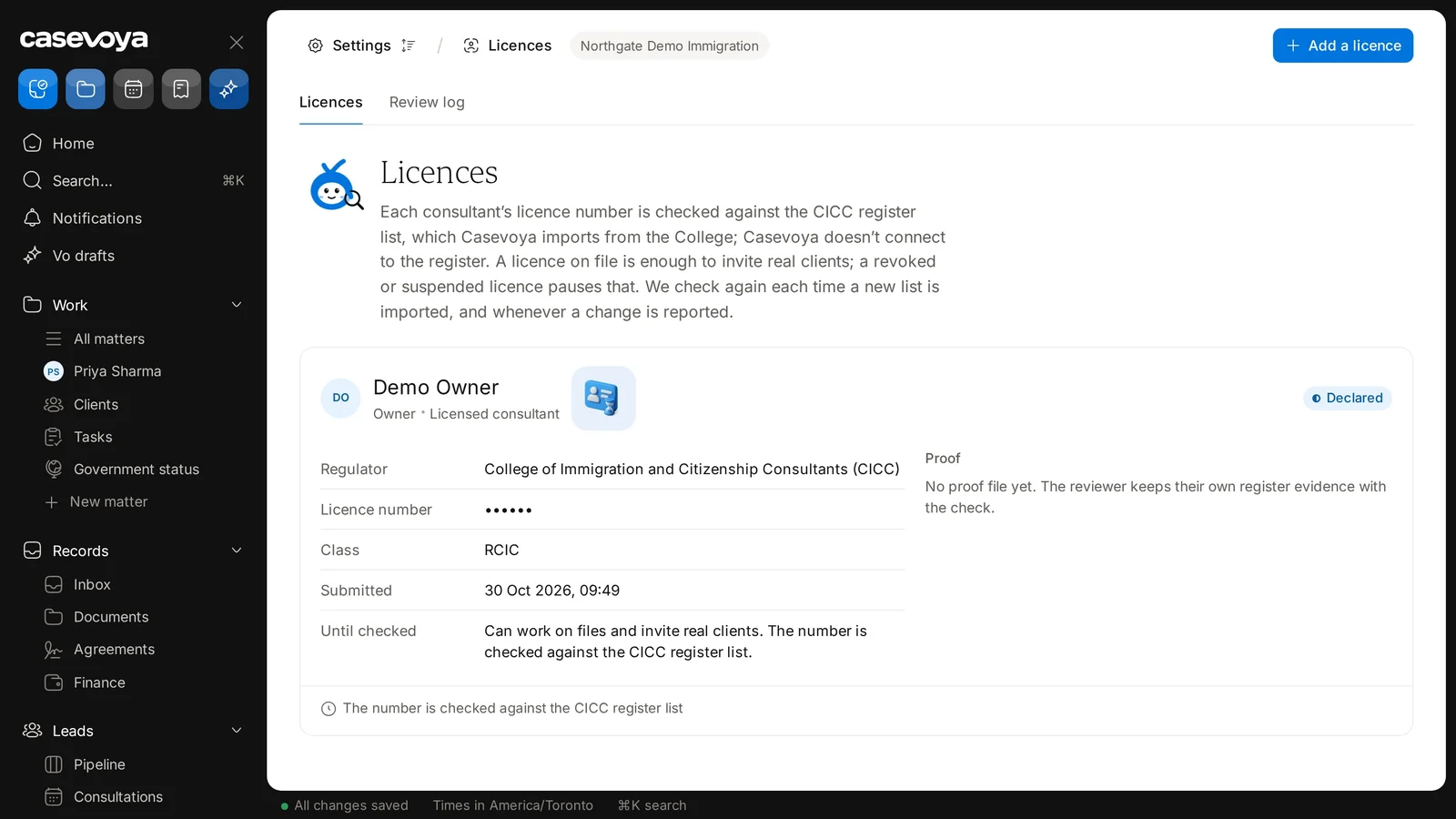
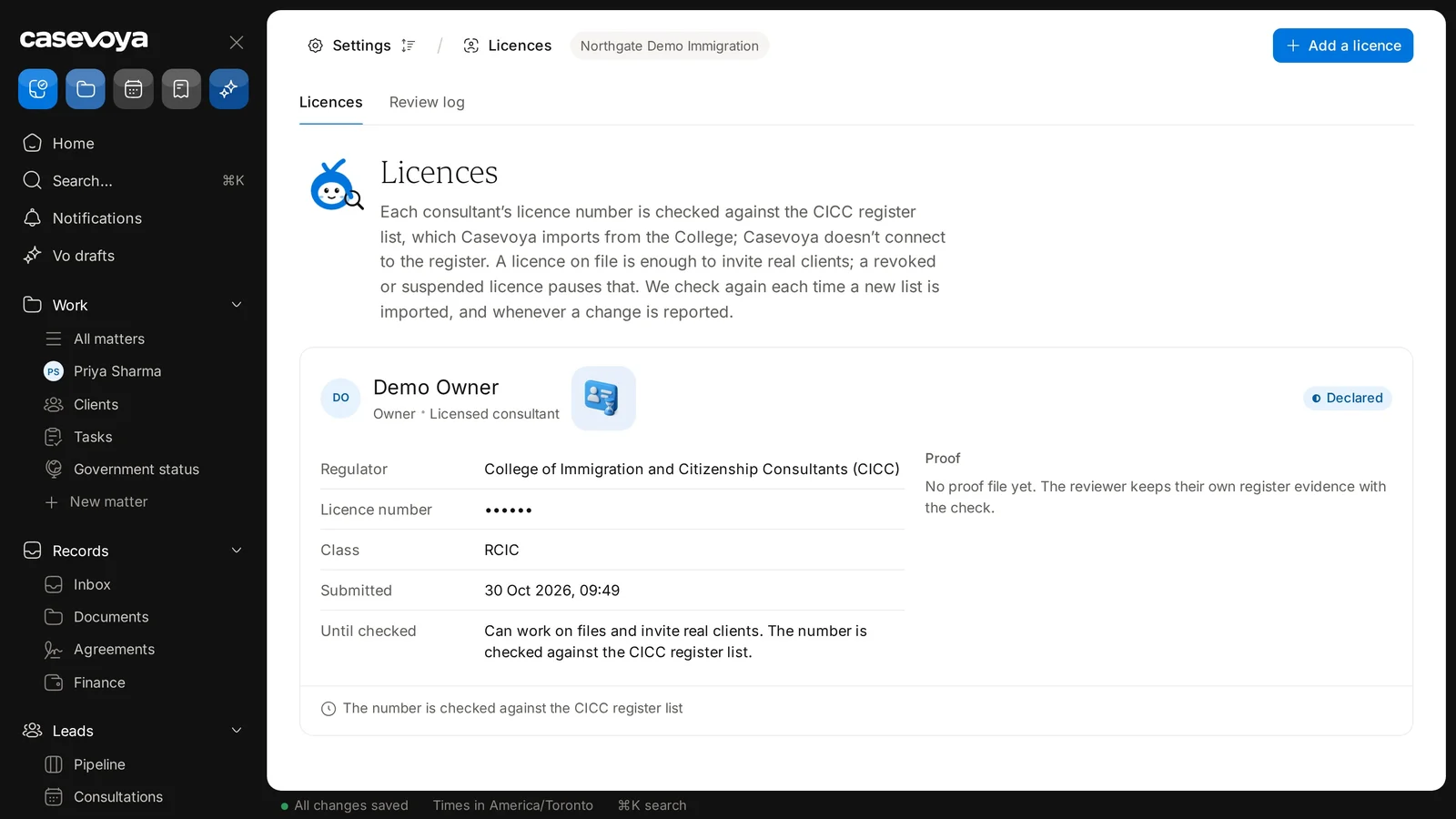
A licence card showing the consultant, their roles and the Declared status. Sample data.
The card footer and the Add a licence button at the top right. Sample data.

Screen by screen

Each frame comes from the walkthrough, with the part being explained outlined. Select a frame to play from that moment.

  1. 02Where you are

    The top of the page reads Settings, then Licences, for the demo firm Northgate Demo Immigration. Two tabs sit below: Licences and Review log.

  2. 03How checks work

    The description explains that numbers are checked against a register list imported from the College. A revoked or suspended licence pauses inviting real clients.

  3. 04The licence card

    This card belongs to Demo Owner, the demo firm's fictional owner, shown as Owner and Licensed consultant. At the top right, the status reads Declared.

  4. 05Licence details

    The details list the regulator, the College of Immigration and Citizenship Consultants, a hidden licence number, and the class, RCIC.

  5. 06Submitted

    Submitted shows 30 Oct 2026, 09:49. Until the licence is checked, the consultant can work on files and invite real clients.

  6. 07Proof

    On the right, Proof says no proof file yet. The reviewer keeps their own register evidence with the check.

  7. 08Footer and add

    The card footer repeats that the number is checked against the CICC register list. To add another, use Add a licence at the top right.

  8. 09Recap

    To recap: check the firm and tabs, read how checks work, review the card details, and look for proof. Next: Review log.

Did this answer your question?

More in Getting started