Client-file exports

Client-file exports lets you create a full copy of a client's file, including the audit trail, and then download it. This tour covers the page.

1:17 video·Captions and transcript·1 written guide

01Overview
0:00 / 1:17

Chapters

9

Export a complete client file

Export a full copy of a matter: the matter record, people, tasks, deadlines, stage history, agreements, invoices and payments, client-account entries, document requests and files, and the audit trail.

  1. 1

    Open Client-file exports

    In the left sidebar, go to Compliance › Client-file exports and select New export.

  2. 2

    Confirm it’s you

    Starting an export always asks you to confirm it’s you.

  3. 3

    Watch the progress

    The export runs in the background. You can leave the page and cancel at any time.

  4. 4

    Download

    You get a notice when it’s ready. Download links last 24 hours, and the download is logged. Each export is listed with who made it and when.
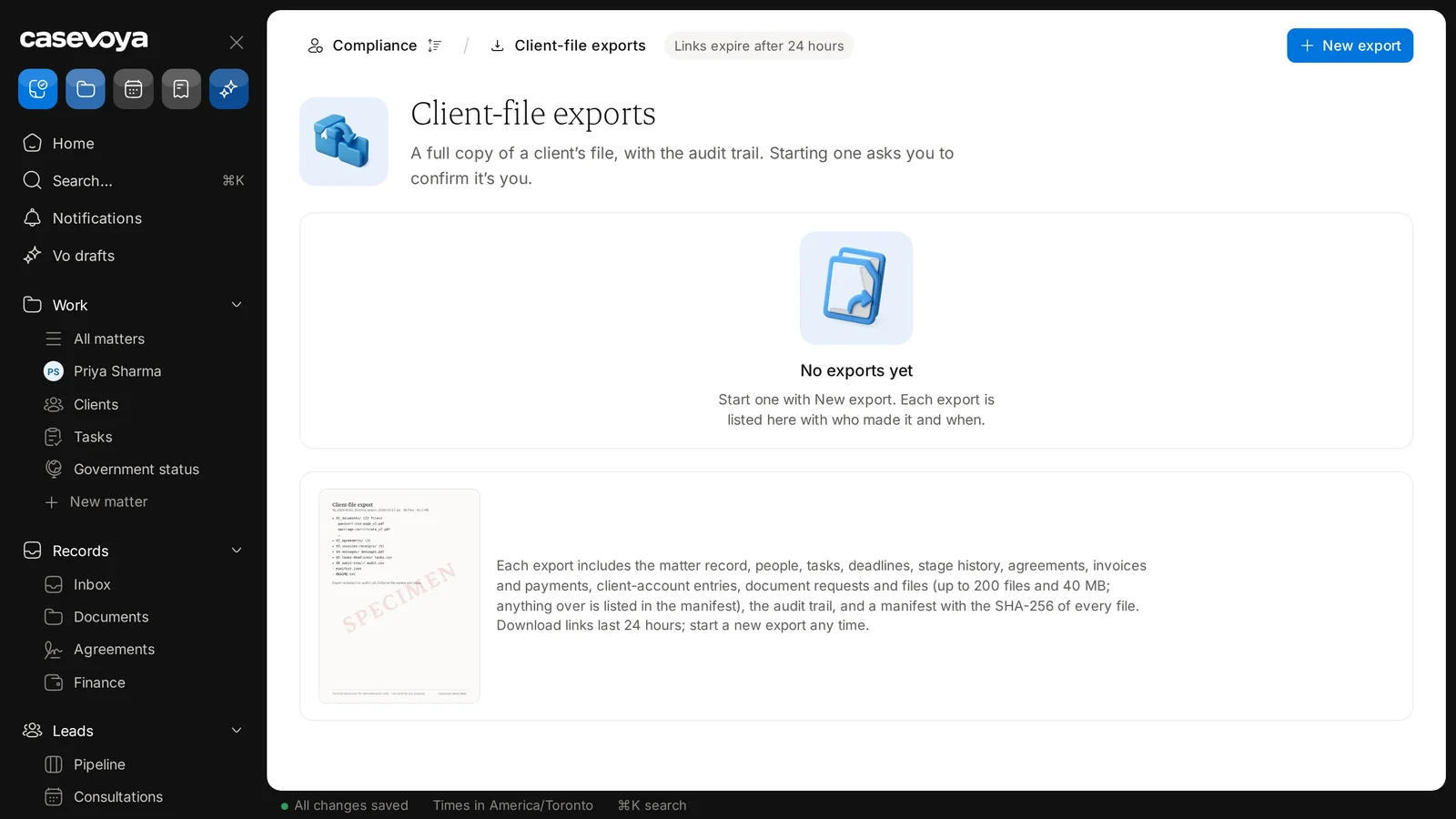
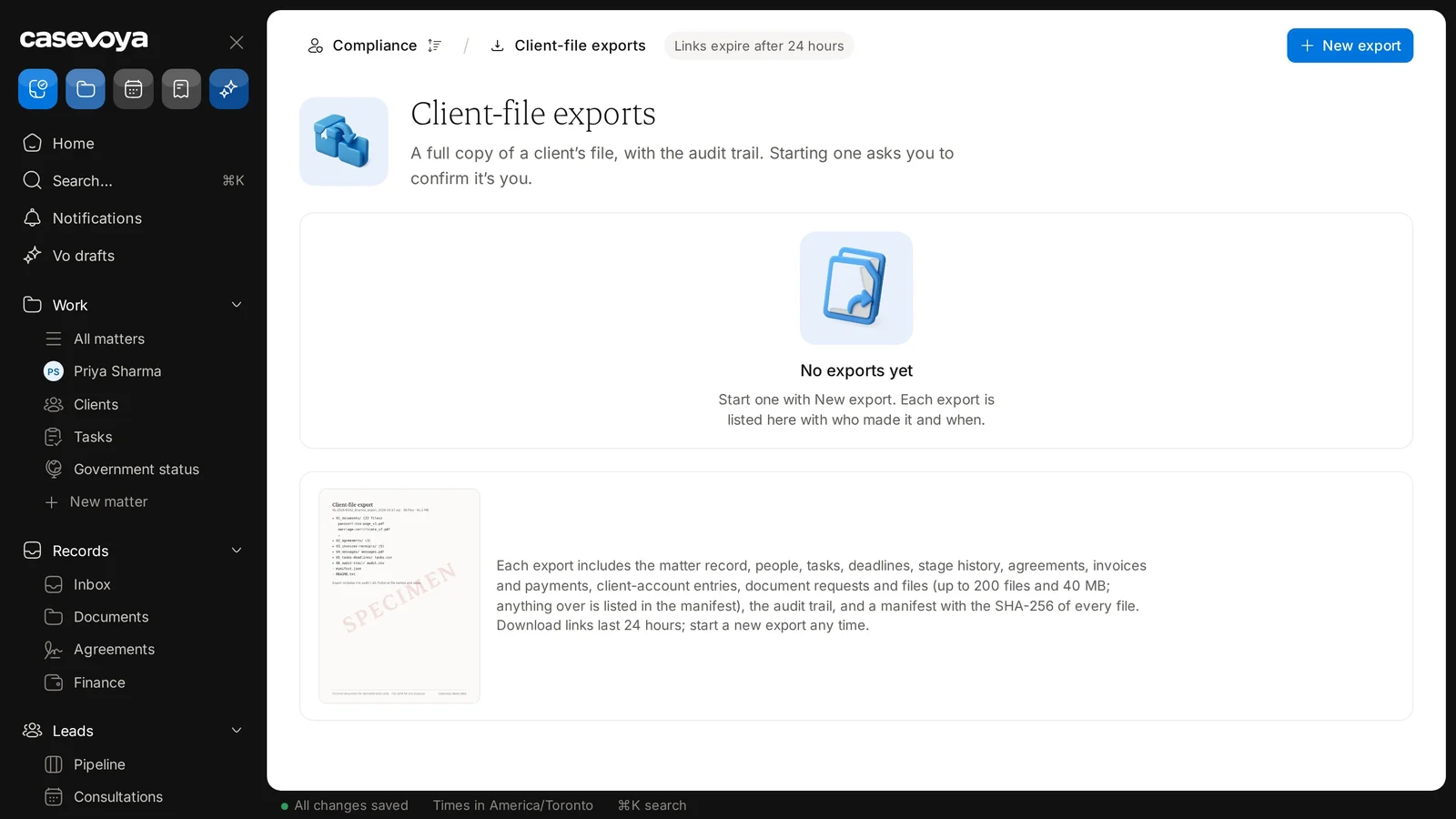
Client-file exports, with the New export button and the badge showing that links expire after 24 hours. Sample data.
The page lists what each export includes. Sample data.

Screen by screen

Each frame comes from the walkthrough, with the part being explained outlined. Select a frame to play from that moment.

  1. 02Breadcrumb

    The breadcrumb at the top shows you are in Compliance, on Client-file exports.

  2. 03Test mode

    The fictional demo firm, Northgate Demo Immigration, is in test mode, with 1 of 4 go-live steps done. See what's left shows the rest.

  3. 04Identity check

    Under the title, the description explains that starting an export asks you to confirm it's you.

  4. 05Empty list

    For now, the list reads No exports yet. Each export you make is listed here, with who made it and when.

  5. 06What's included

    Each export includes the matter record, people, tasks, deadlines and stage history, plus agreements, invoices and payments, client-account entries, document requests and files.

  6. 07Limits, manifest

    Each export includes up to 200 files and 40 MB, and anything over that is listed in the manifest. The manifest records the SHA-256 of every file, alongside the audit trail.

  7. 08Links, footer

    Download links last 24 hours, as the badge at the top reminds you. You can start a new export at any time with the New export button.

  8. 09Recap

    To recap: find it under Compliance, start with New export, confirm it's you, then download within 24 hours. Next: Privacy requests.

Did this answer your question?

More in Privacy and compliance