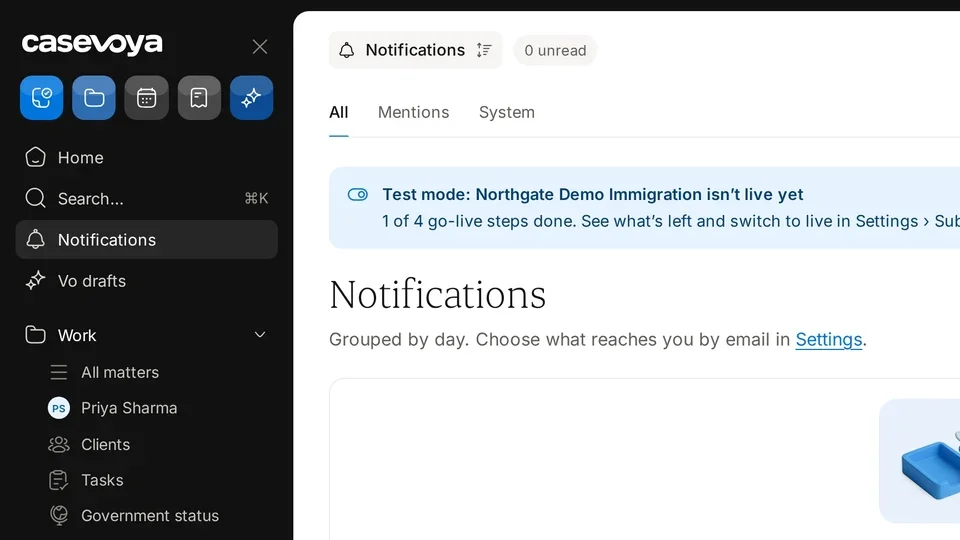
Each frame comes from the walkthrough, with the part being explained outlined. Select a frame to play from that moment.
02Header
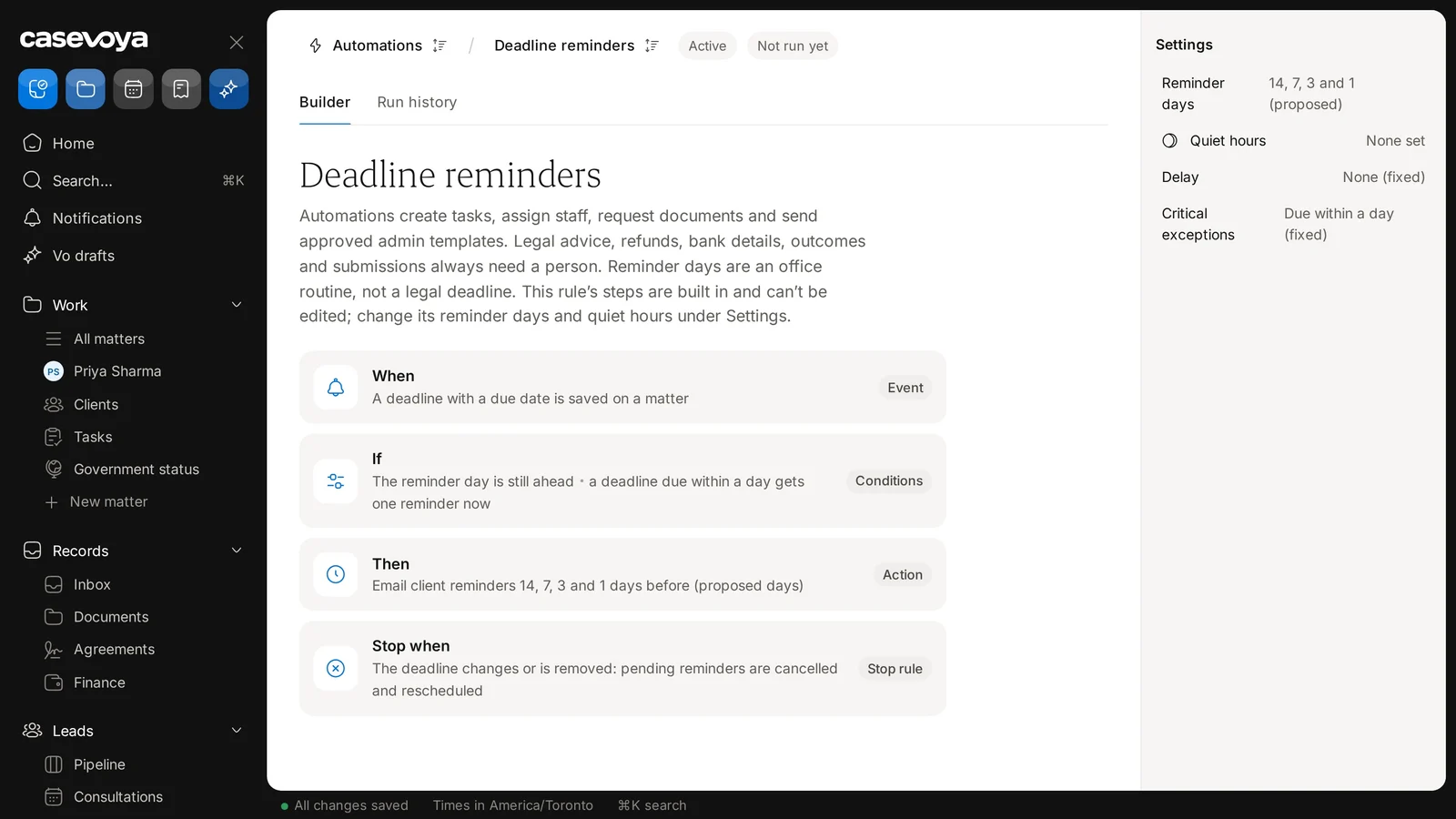
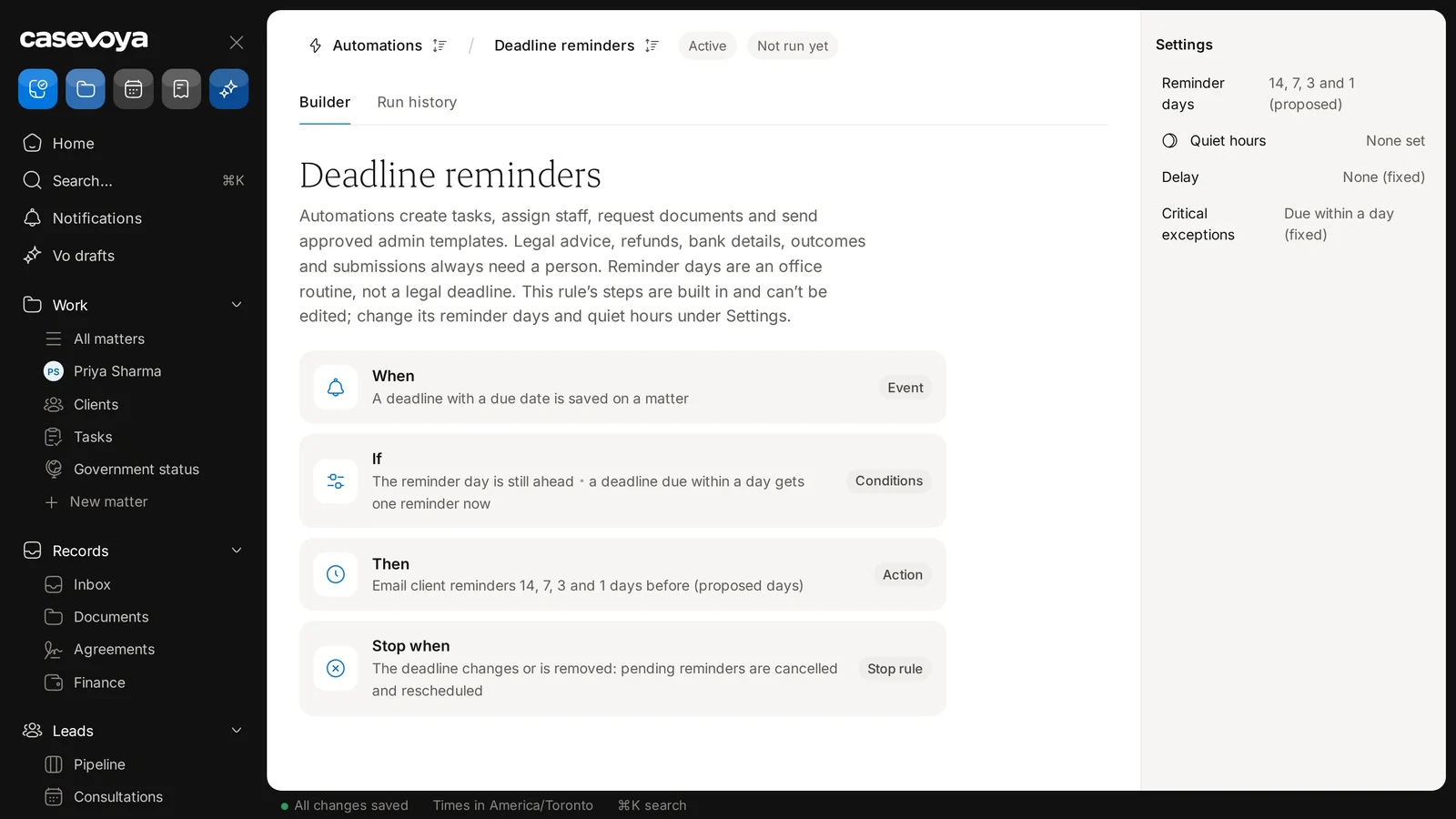
The breadcrumb shows Automations, then Deadline reminders, and chips show Active and Not run yet.
03Tabs
The Builder tab shows the rule, with Run history beside it.
04Ground rules
The description says legal advice, refunds, bank details, outcomes and submissions always need a person, and that reminder days are an office routine, not a legal deadline.
05When
The When card says the rule starts when a deadline with a due date is saved on a matter.
06If
The If card runs the rule only if the reminder day is still ahead; a deadline due within a day gets one reminder now.
07Then and stop
Then it emails client reminders 14, 7, 3 and 1 days before, marked proposed. If the deadline changes or is removed, pending reminders are cancelled and rescheduled.
08Settings
Steps can't be edited, but under Settings, reminder days are 14, 7, 3 and 1, proposed, and quiet hours show none set. Delay and critical exceptions are fixed.
09Footer
All changes saved appears at the bottom, with times in America/Toronto.
10Recap
In short: check the status chips, read the ground rules, follow When, If, Then and Stop, and set reminder days and quiet hours. Next: Run history.
Overview. Deadline reminders shows how Casevoya emails clients before a saved deadline. This tour covers the rule.
Header. The breadcrumb shows Automations, then Deadline reminders, and chips show Active and Not run yet.
Tabs. The Builder tab shows the rule, with Run history beside it.
Ground rules. The description says legal advice, refunds, bank details, outcomes and submissions always need a person, and that reminder days are an office routine, not a legal deadline.
When. The When card says the rule starts when a deadline with a due date is saved on a matter.
If. The If card runs the rule only if the reminder day is still ahead; a deadline due within a day gets one reminder now.
Then and stop. Then it emails client reminders 14, 7, 3 and 1 days before, marked proposed. If the deadline changes or is removed, pending reminders are cancelled and rescheduled.
Settings. Steps can't be edited, but under Settings, reminder days are 14, 7, 3 and 1, proposed, and quiet hours show none set. Delay and critical exceptions are fixed.
Footer. All changes saved appears at the bottom, with times in America/Toronto.
Recap. In short: check the status chips, read the ground rules, follow When, If, Then and Stop, and set reminder days and quiet hours. Next: Run history.
 Casevoya